Quick Summary
Choosing the right thermostat is essential for optimizing comfort, energy efficiency, and control over your residential HVAC system. This guide covers everything from basic Wi-Fi thermostats to advanced smart devices, with step-by-step installation instructions, troubleshooting advice, expert insights, and FAQ. Whether you are a homeowner looking to upgrade or an HVAC engineer handling multiple projects, this guide provides practical and professional recommendations for effective thermostat selection and installation.
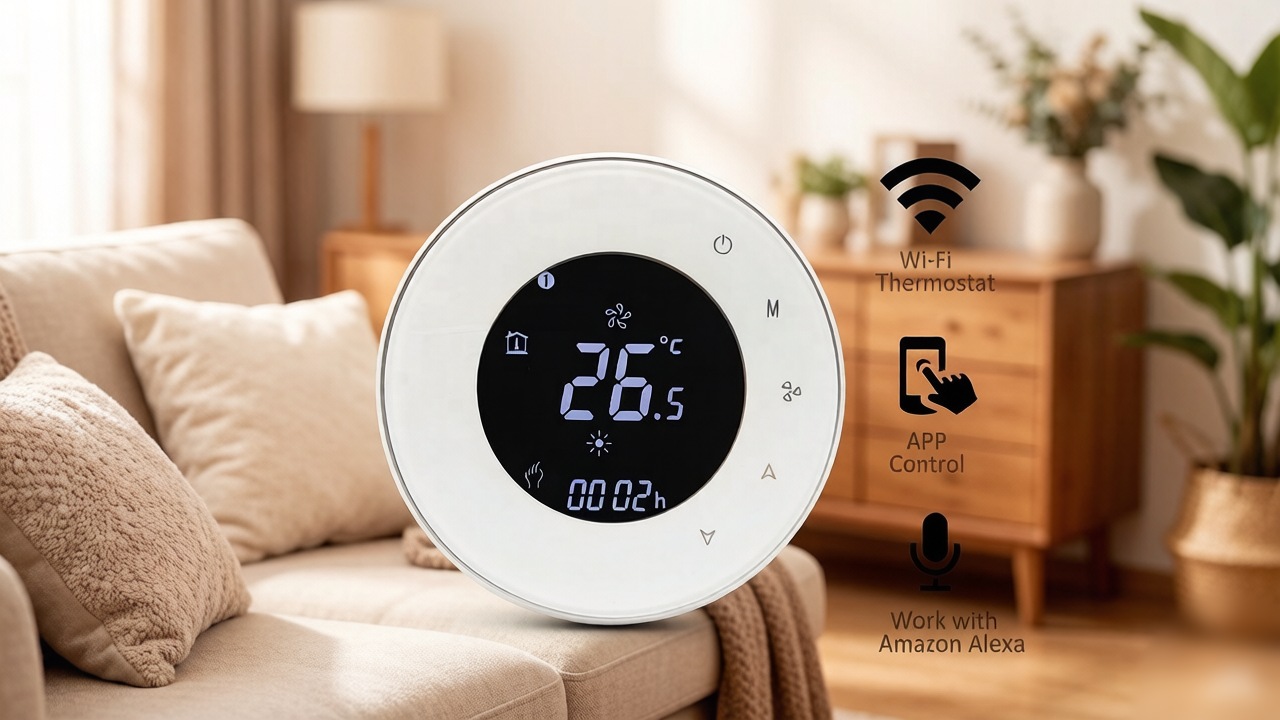
Why Choosing the Right Thermostat Matters
Comfort and Temperature Control
The thermostat is the central control point for your home heating and cooling. Selecting a compatible device ensures consistent comfort, accurate temperature regulation, and even distribution of heating or cooling across all rooms. Many homeowners underestimate the importance of choosing the right model, leading to uneven temperatures or frequent HVAC cycling. Additionally, advanced models allow room-specific schedules and multi-zone control, which can significantly improve overall comfort.
Energy Efficiency and Cost Savings
Modern smart thermostats automatically adjust HVAC operation based on daily routines, occupancy patterns, and even weather forecasts. Properly configured, a smart thermostat can reduce energy bills by 10–30% annually. By using features like adaptive recovery and geofencing, homeowners can minimize energy waste during periods when no one is home, while still ensuring the house reaches a comfortable temperature upon return. Tracking energy usage over time also provides actionable insights to further optimize efficiency.
Integration with Smart Home Systems
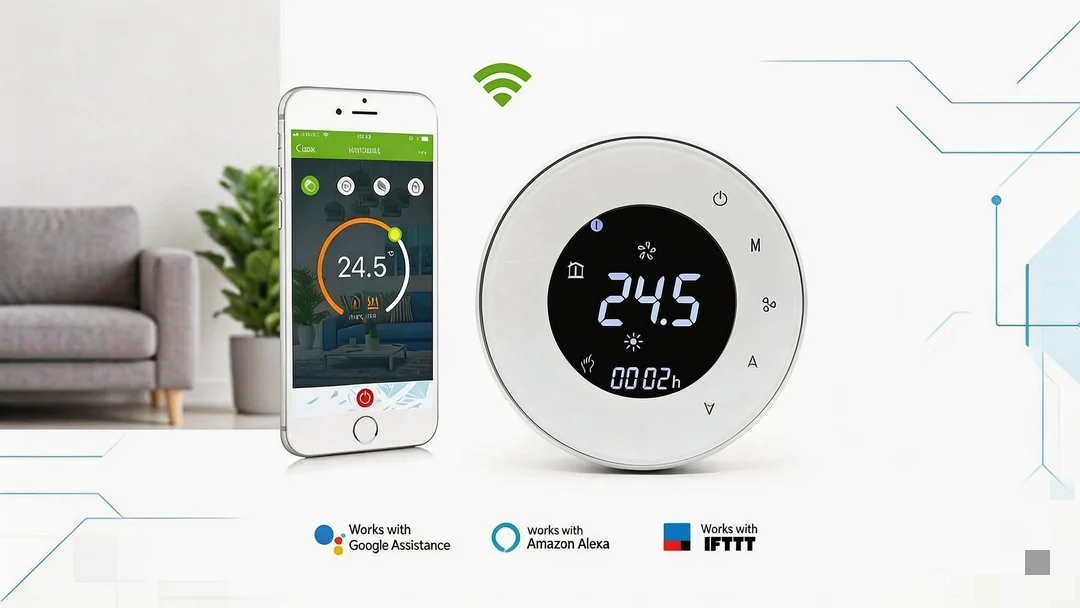
Wi-Fi thermostats integrate with Alexa, Google Home, Apple HomeKit, and other home automation systems, allowing remote access, voice control, and scheduling flexibility. Integration can extend to whole-home energy management, helping homeowners track usage and receive alerts if temperatures fall outside predefined ranges. This connectivity can also allow coordination with other smart devices, like smart blinds or HVAC zoning dampers, for maximum comfort and energy optimization.
Types of Thermostats for Residential HVAC
Basic Programmable Thermostats
These devices allow simple scheduling of heating and cooling cycles. They are ideal for homeowners who want automation without remote access features. While they offer less flexibility than smart models, they are reliable and generally easier to install. Some newer models also include features like weekend/weekday schedules and simple vacation modes, improving utility without complicating setup.
Wi-Fi Thermostats
Wi-Fi thermostats enable remote control via mobile apps and cloud services. Homeowners can adjust temperatures from anywhere, receive alerts, and program schedules more easily than with traditional programmable thermostats. Many Wi-Fi models also provide energy usage reports, allowing for informed adjustments to save money. They can support multiple users with app access, making them suitable for families or multi-tenant homes.
Smart Learning Thermostats
Smart thermostats go beyond manual programming by learning the homeowner’s routines and automatically optimizing heating and cooling. Features may include geofencing, predictive scheduling, adaptive recovery, and integration with other smart devices. These thermostats can significantly reduce energy waste but require an initial setup period to “train” the system. Some models also provide weather-based adjustments, ensuring that internal temperatures remain consistent even during sudden outdoor temperature swings.
Comparison of Thermostat Types
| Thermostat Type | Key Features | Best For | Energy Savings | Remote Access |
|---|---|---|---|---|
| Basic Programmable | Simple scheduling, reliable, easy installation | Homeowners seeking basic automation | Low | No |
| Wi-Fi Thermostats | Remote control via app, energy usage reports | Families or multi-tenant homes | Medium | Yes |
| Smart Learning Thermostats | Adapts to routines, geofencing, predictive scheduling | Homeowners who want advanced features | High (up to 30%) | Yes |
Planning Your Thermostat Installation
Check HVAC System Compatibility
Before purchasing a thermostat, verify that your system supports it. Single-stage, multi-stage, and heat pump systems may require specific wiring or voltage. A mismatch can lead to poor performance, constant cycling, or even damage to the HVAC system. Additionally, check if your system uses C-wire or battery-only power, as Wi-Fi thermostats typically need continuous power to maintain connectivity.
Required Tools and Preparation
For installation, you will typically need screwdrivers, a voltage tester, a level, your Wi-Fi network information, and the thermostat’s user manual. Labeling wires during removal of the old thermostat is crucial to ensure correct reconnection. Some models may also require downloading an app ahead of time, or creating an account to activate the device.
Safety Precautions
Always turn off the power at the circuit breaker before removing the old thermostat. Confirm with a voltage tester that no power remains on the wires. Improper handling can damage equipment or pose serious injury risks. Wearing gloves and keeping wires organized reduces the risk of short-circuits or miswiring during installation.
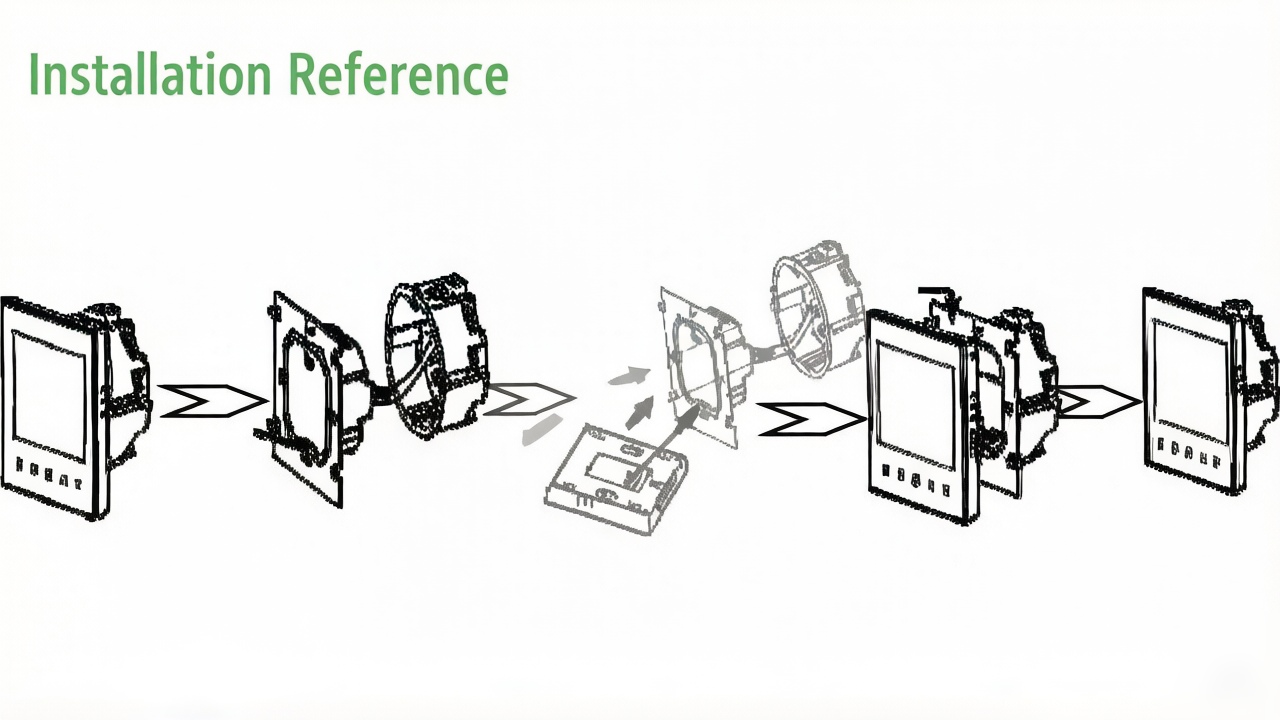
Step-by-Step Installation Guide
- Remove Existing Thermostat: Carefully detach the old thermostat and label all wires. Take a photo of the wiring layout for reference.
- Wire the New Thermostat: Follow manufacturer instructions to connect each wire to the correct terminal. Universal wiring is supported by most Wi-Fi thermostats, but confirm for multi-stage systems or heat pumps.
- Mounting and Power-On: Secure the thermostat to the wall using a level. Restore power at the breaker and confirm the device powers on correctly.
- Connect to Wi-Fi & Mobile App: Open the manufacturer’s app, follow the instructions to connect to your home Wi-Fi, and configure schedules, preferences, and energy-saving modes.
- Calibration and Testing: Test the heating and cooling cycles, fan modes, and scheduling features. Ensure all zones reach set temperatures accurately and the system responds promptly.
Troubleshooting Common Issues
- Thermostat not powering on → Check circuit breaker, wire connections, and ensure the device is properly seated. Also, confirm battery status if applicable.
- HVAC system unresponsive → Confirm correct wiring, system compatibility, and that the HVAC unit itself is operational. Run diagnostics if supported by the thermostat app.
- App connectivity problems → Ensure strong Wi-Fi signal, correct credentials, and latest firmware updates. Placement near metal objects or far from the router may cause signal drops. Consider adding a Wi-Fi extender if coverage is weak.
- Temperature discrepancies → Some rooms may heat or cool differently due to airflow issues. Adjust vent settings, or use additional sensors if the thermostat supports multi-room temperature detection.
Expert Insights
John Reynolds, HVAC Engineer (15+ years experience)
“Many homeowners underestimate system compatibility. A Wi-Fi thermostat won’t magically fix a poorly wired multi-stage heat pump. Always verify wiring and voltage requirements first. Additionally, consider future upgrades to HVAC components when choosing a thermostat.”
Sara Liu, Residential Energy Consultant
“I see clients wasting money on high-end smart thermostats that never get fully used. Know what features you actually need: remote access, scheduling, or learning algorithms. Simpler devices can often achieve the same savings with less complexity.”
David Patel, Smart Home Installer
“Signal strength inside older homes is a real issue. Don’t ignore placement—thermostat too far from Wi-Fi router leads to constant disconnections, even if you bought the latest model. Test signal during installation and relocate if necessary.”
Application & Selection Guide for Professionals
- Request application-specific thermostat selection.
- Consider system load, zoning requirements, and energy management objectives.
- Look for certifications such as UL for safety and ENERGY STAR for efficiency.
- Check firmware support and manufacturer update policies for long-term reliability.
- For large multi-unit projects, evaluate scheduling, app access, and data reporting capabilities to streamline management.
FAQ – Thermostats for Residential HVAC Systems
Basic models allow scheduled temperature control; Wi-Fi models enable remote control via mobile apps.
Yes, if your HVAC system is compatible and you follow safety precautions. Otherwise, consult a licensed installer.
Properly configured smart thermostats can save 10–30% on energy bills by optimizing HVAC operation.
Check signal strength, correct SSID/password, and firmware updates. Placement may also affect connectivity.
Not all; check manufacturer specifications and wiring requirements.
Most modern Wi-Fi thermostats support smart home integration, but confirm app compatibility before purchase.
Verify wiring, check breakers, ensure system compatibility, and review app configuration.
UL safety certification and ENERGY STAR for energy efficiency are recommended.
Basic heating/cooling functions work without internet, but remote control and learning features require Wi-Fi.
Only if your HVAC system supports zoning and the thermostat is designed for multi-zone control.
References / Sources
- John Reynolds, HVAC Engineer (15+ years experience)
- Sara Liu, Residential Energy Consultant
- David Patel, Smart Home Installer
- Energy Star Program – U.S. Environmental Protection Agency
- ASHRAE Handbook – HVAC Applications, American Society of Heating, Refrigerating and Air-Conditioning Engineers