Quick Summary
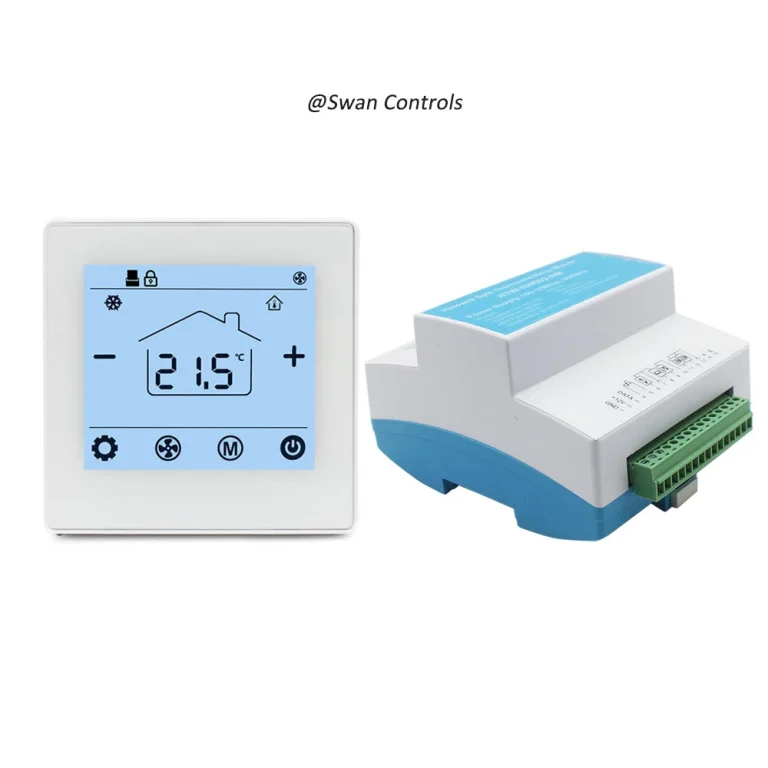
Wireless thermostat settings directly affect room comfort, system stability, and energy use. A small change in setpoint, hysteresis, calibration, fan control, or setback can change how the HVAC system runs. A wireless room thermostat should be set based on the room type, user habit, system response, and energy target. Correct settings reduce complaints, avoid frequent switching, and help the HVAC system run more efficiently.
“The wireless thermostat is working, but the room still feels unstable.”
“The user keeps changing the temperature every day.”
“The heating runs too often, and the energy bill is still high.”
These problems are not always caused by product failure. In many projects, the wireless thermostat is installed correctly, but the settings are not suitable for the room, system, or user routine.
A wireless room thermostat does more than read temperature and send commands to a receiver. Its settings decide when the system starts, when it stops, how much temperature variation is allowed, how the fan behaves, and how the room saves energy during low-use periods.
This article explains how wireless thermostat settings affect comfort, stability, and energy use. It is written for HVAC buyers, installers, distributors, and project managers who want better control results and fewer customer complaints.
Setpoint: The First Setting That Changes Comfort
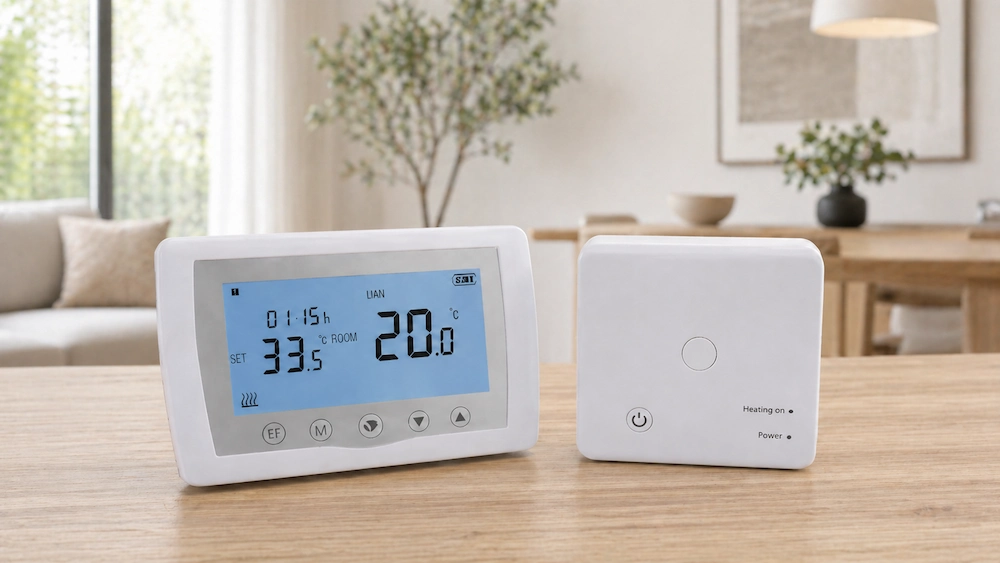
The setpoint is the target temperature selected by the user. It is the most visible setting on a wireless thermostat.
Many users think a lower cooling setpoint or higher heating setpoint will make the room comfortable faster. In many HVAC systems, this is not true. The system may not cool or heat faster. It only runs longer.
Common setpoint mistakes include:
- Setting heating too high in winter
- Setting cooling too low in summer
- Changing the setpoint too often
- Using the same setting for every room
- Ignoring room size and insulation
A very aggressive setpoint can cause energy waste. It can also make the room feel uncomfortable after overshoot. For example, if heating is set too high, the room may become too warm before the system stops. Then the user opens a window or lowers the setpoint sharply. This creates unstable control.
For residential rooms, a moderate comfort setting is usually better. For offices, a shared comfort range is more practical than letting every user change the thermostat freely. For hotels and rental rooms, the setpoint range may need limits to reduce energy waste and complaints.
For buyers, setpoint limit options are useful. A wireless room thermostat with adjustable temperature limits can help property managers keep comfort and cost under control.
Hysteresis: The Setting That Controls Stability
Hysteresis is also called differential or deadband in some thermostat manuals. It defines how much temperature change is allowed before the system switches on or off.
This setting has a strong effect on stability. If the hysteresis is too small, the HVAC system may start and stop too often. If it is too large, the room temperature may drift too much.
Example logic:
- Setpoint: 22°C
- Hysteresis: 0.5°C
- Heating may start at 21.5°C
- Heating may stop at 22.0°C or 22.5°C, depending on control logic
Small hysteresis gives tighter comfort control. But it may increase relay switching and equipment cycling. Large hysteresis reduces switching, but the room may feel less stable.
Common symptoms of wrong hysteresis:
- System turns on and off too frequently
- Room temperature swings too much
- Relay clicks too often
- Boiler or valve operates too frequently
- Users complain about unstable comfort
For most comfort rooms, a practical control range is usually better than the smallest possible value. A professional wireless thermostat supplier should explain the recommended hysteresis range for different systems.
Mode Setting: Heating, Cooling, Auto, and Off
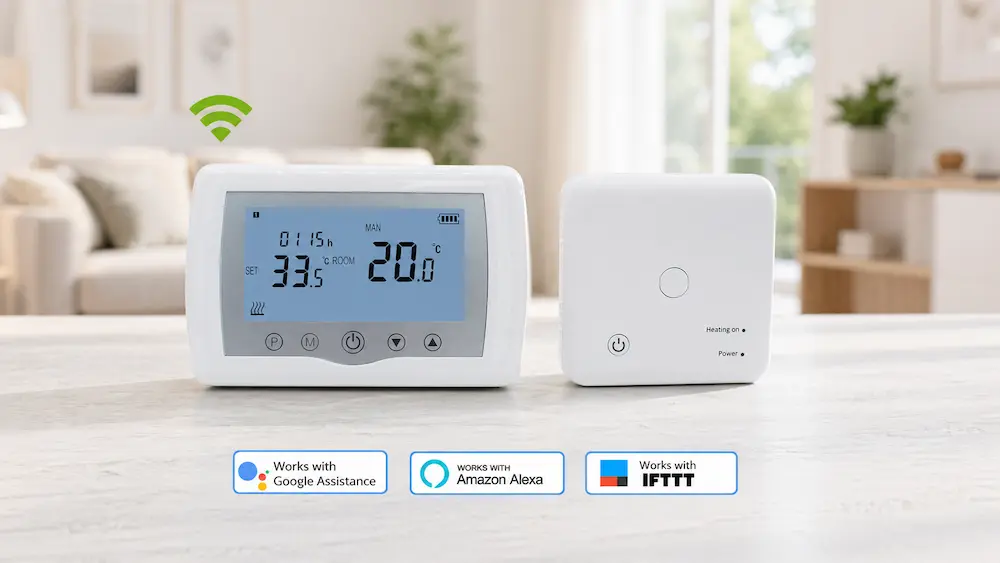
Mode setting decides what the thermostat is allowed to control. Common modes include heating, cooling, auto, fan, and off. Wrong mode selection is a simple but common cause of complaints.
If the thermostat is in cooling mode during a heating season, the system may not respond as expected. If auto mode is not suitable for the system, the thermostat may switch in a way users do not understand.
Typical mode problems include:
- Heating demand not active because cooling mode is selected
- Cooling not active because heating mode is selected
- Auto mode creates unexpected switching
- Fan mode is confused with cooling operation
- Off mode is selected by mistake
For simple residential heating, manual heating mode is often easier to understand. For more advanced systems, auto mode can be useful, but it must be supported by the HVAC equipment.
For commercial or rental projects, mode lock can be helpful. It prevents users from selecting the wrong operating mode. This reduces service calls and makes operation more predictable.
Calibration: Small Adjustment, Big Difference
Calibration allows the thermostat temperature reading to be adjusted. This is useful when the display reading is slightly different from the real room condition.
However, calibration should be used carefully. It should not be used to hide bad placement. If the thermostat is placed near sunlight, a radiator, or airflow, calibration alone may not solve the problem.
Calibration is useful when:
- The thermostat reading is slightly different from a reference thermometer
- The room unit is installed in an acceptable location
- The difference is stable and repeatable
- The project needs consistent readings across many rooms
A common calibration range may be around ±3°C to ±5°C depending on the model. But a large correction may indicate an installation problem. The better solution may be moving the wireless room thermostat to a better location.
For overseas buyers, calibration is a valuable feature. It helps local installers adjust small differences in real projects. But the manual should explain how to use it correctly.
Setback Settings: Comfort When Needed, Saving When Empty
Setback means changing the temperature target during empty or low-use periods. It is one of the most practical energy-saving settings.
For heating, setback usually means lowering the setpoint when the room is not occupied. For cooling, it usually means raising the setpoint during empty hours.
Good setback settings can reduce energy use without hurting comfort. Poor setback settings can create slow recovery and user complaints.
Common setback examples:
- Lower heating at night or during working hours
- Reduce heating when the home is empty
- Raise cooling setpoint during low-use periods
- Use comfort setting before users return
- Use economy mode in rental or office rooms
A setback that is too large may save energy during empty hours, but the room may take too long to return to comfort. Users may then raise the setpoint sharply. This can reduce the saving effect.
For most rooms, a moderate setback is safer. It supports energy saving while keeping recovery time reasonable. A wireless thermostat with simple setback or schedule settings can help users avoid unnecessary operation.
Fan Settings and Airflow Comfort
Some wireless thermostat systems are used with fan coil units or systems that include fan control. In these projects, fan settings affect comfort, noise, and energy use.
Fan settings may include low, medium, high, auto, or manual control. The right choice depends on room use.
Low fan speed is usually quieter. It is suitable for bedrooms, hotel rooms, and stable temperature periods. High fan speed gives faster response, but it can create more noise and airflow discomfort. Auto fan can be useful when the system can adjust based on demand.
Common fan setting problems include:
- Fan always running at high speed
- Fan stopping too often
- Users hearing too much airflow noise
- Fan running when heating or cooling is not needed
- Auto fan logic not matching the FCU system
For comfort projects, fan control should not be ignored. A wireless room thermostat used with FCU systems should provide clear fan logic and simple operation. For hotel projects, fan noise is often one of the main sources of complaints.
Signal Loss Settings and Fail-Safe Logic
A wireless thermostat depends on communication between the room unit and receiver. If signal is lost, the receiver needs a safe response.
Different products may use different fail-safe logic. Some receivers stop output after communication loss. Some keep the last state for a time. Some show a warning indicator. Some require manual reset or re-pairing.
Buyers and installers should understand this logic before use.
Important checks include:
- What happens when signal is lost?
- Does the receiver stop heating or cooling?
- Does the receiver keep the last command?
- Is there a warning icon or LED?
- How is communication restored?
- Does the system need re-pairing?
This setting affects both comfort and safety. If the receiver keeps heating after signal loss, energy may be wasted. If it stops immediately, the room may become uncomfortable. The best logic depends on system type and project risk.
For buyers, this is an important question when comparing wireless thermostat models. It should be checked before bulk order, not after customer complaints.
Schedule Settings for Daily Use
Some wireless thermostats support daily or weekly schedule settings. These settings control comfort and energy use over time.
A simple schedule can be very effective. It can make the room comfortable before users arrive and reduce operation when the room is empty.
Common schedule periods include:
- Morning comfort period
- Daytime economy period
- Evening comfort period
- Night setback period
Schedule settings should match real use. If the schedule is too complicated, users may stop using it. If the schedule is too simple, energy saving may be limited.
For homes, daily routine matters. For offices, working hours matter. For rental properties, simple schedules and manual override may be more useful than very detailed programming.
A wireless room thermostat with clear schedule settings can improve comfort while reducing energy waste. But the schedule must be easy to understand.
If you‘re Looking for related products, kindly check the following details:
Electric Underfloor Thermostat
User Lock and Temperature Limit Settings
User lock and temperature limits are useful in shared spaces. They prevent extreme settings and accidental changes.
These functions are common in hotels, rental apartments, offices, schools, and public rooms.
Useful limit settings include:
- Maximum heating setpoint
- Minimum cooling setpoint
- Button lock
- Mode lock
- Fan speed lock
- Schedule lock
Without limits, users may set heating too high or cooling too low. This increases energy use and may reduce system stability.
For example, if cooling can be set very low, the system may run for a long time. If heating can be set too high, the room may overheat. A reasonable limit keeps comfort within an acceptable range.
For commercial buyers, lock settings can reduce service calls and protect energy targets. For distributors, these settings can also make the product easier to position for hotels and managed properties.
Scientific Data
The data below gives practical reference values for wireless thermostat settings. These values help buyers and installers understand how settings affect comfort, stability, and energy use. Actual results depend on HVAC capacity, building insulation, receiver logic, load type, sensor placement, and user behavior.
| Setting or Control Item | Typical Reference Value | Effect on Comfort and Energy |
|---|---|---|
| Temperature control accuracy | ±0.5°C to ±1.0°C | Improves comfort and reduces temperature drift. |
| Practical comfort deviation | ±1.0°C to ±2.0°C | Larger drift may cause user complaints. |
| Recommended hysteresis range | 0.5°C to 1.5°C | Balances stable comfort and switching frequency. |
| Calibration range | ±3°C to ±5°C by model | Useful for small sensor correction. |
| Common setback range | 2°C to 4°C | Saves energy without very slow recovery. |
| Poor placement temperature error | 2°C to 3°C possible | Can cause wrong heating or cooling response. |
| Low fan noise reference | 30 dB to 35 dB | Better for bedrooms and hotel rooms. |
| High fan noise reference | 40 dB to 45 dB or higher | Faster response but higher noise risk. |
| Relay mechanical life reference | 100,000 to 1,000,000 cycles | Frequent switching may reduce practical service life. |
| Typical indoor wireless range | 20 m to 30 m | Weak signal can delay or interrupt control. |
These values show that settings are not small details. A hysteresis setting that is too tight may improve temperature accuracy, but it can increase relay switching. A setting that is too wide may protect the relay, but the room may feel less stable.
Setback also needs balance. A 2°C to 4°C setback is often practical for energy saving. A very large setback may look efficient, but it can cause long recovery time and user discomfort.
Fan noise changes with speed. Low fan speed is better for quiet rooms. High speed can improve fast response, but it may increase noise complaints. This is important for wireless thermostats used with fan coil systems.
Calibration should also be used carefully. If a wireless thermostat needs a large correction, the installation position may be wrong. Moving the thermostat may be better than adding a large offset.
Practical Cases
Case 1: A residential heating project had frequent boiler cycling. The thermostat was installed correctly, but the hysteresis was too small. After adjusting the differential setting, the boiler started less often, and room comfort remained stable.
Case 2: A hotel room had fan noise complaints at night. The wireless room thermostat was set to high fan speed by default. After changing the default setting to low or auto fan, night comfort improved and complaints reduced.
Case 3: A rental apartment had high energy use. Users often set heating too high. The property manager enabled temperature limit and button lock. Energy use became easier to control, and users still had enough comfort range.
These cases show that settings can change the user experience without changing the hardware. Correct setup is often the fastest way to improve performance.
Expert Insights
Wireless thermostats are often selected for installation flexibility. But long-term performance depends on control settings. A good product can still perform poorly if the setpoint range, hysteresis, fan logic, or calibration is not suitable.
For overseas buyers, setting options are part of product value. A wireless thermostat that allows reasonable parameter adjustment is easier to adapt to different markets and project types.
For installers, default settings should always be reviewed before handover. Factory defaults may not fit every room. A bedroom, office, rental apartment, and hotel room may need different settings.
For manufacturers and suppliers, clear manuals are important. The manual should not only explain how to change settings. It should explain what each setting does and when it should be adjusted.
Recommended Setting Checklist
| Setting | Risk If Wrong | Recommended Check |
|---|---|---|
| Setpoint range | Too much energy use or poor comfort | Set reasonable heating and cooling limits. |
| Hysteresis | Frequent switching or large temperature drift | Use a balanced differential range. |
| Mode | Heating or cooling does not respond | Confirm correct mode for the season and system. |
| Calibration | Wrong displayed temperature | Compare with reference thermometer before adjusting. |
| Setback | Slow recovery or wasted energy | Use moderate setback based on occupancy. |
| Fan setting | Noise complaints or slow response | Match fan speed with room use. |
| User lock | Extreme settings and higher energy cost | Use limits in hotels, offices, and rentals. |
| Signal loss logic | Unexpected stop or unwanted operation | Check receiver fail-safe behavior. |
This checklist helps buyers and installers review the most important wireless thermostat settings before handover. It also helps after-sales teams diagnose comfort and energy complaints more quickly.
FAQ
1. How do wireless thermostat settings affect comfort?
Settings such as setpoint, hysteresis, calibration, mode, and fan speed decide how the room temperature changes and how stable the comfort feels.
2. What is the best hysteresis setting for a wireless thermostat?
A common practical range is about 0.5°C to 1.5°C, but the best value depends on HVAC system response and room comfort needs.
3. Can wireless thermostat settings reduce energy use?
Yes. Setback, schedule, temperature limits, and correct mode settings can reduce unnecessary heating or cooling during low-use periods.
4. Why does my wireless room thermostat switch too often?
Frequent switching may be caused by a very small hysteresis setting, poor thermostat placement, unstable sensor reading, or fast room temperature changes.
5. Should default thermostat settings be changed after installation?
Yes, default settings should be checked and adjusted based on room type, HVAC system, user routine, and energy-saving target.
Wireless thermostat settings are a major part of HVAC performance. Good settings improve comfort, reduce unnecessary switching, and lower energy waste. Buyers and installers should not leave every parameter at factory default. A wireless room thermostat should be adjusted based on room use, system response, user access, and energy goals.
References / Sources
- ASHRAE — Fundamentals of HVAC Control Systems
- ASHRAE — ASHRAE Handbook: Fundamentals, Thermal Comfort
- U.S. Department of Energy — Thermostat Operation and Energy Saving Guidance
- ENERGY STAR — Smart Thermostat Energy Saving Guidance
- International Electrotechnical Commission (IEC) — IEC 60730 Automatic Electrical Controls for Household and Similar Use
- Honeywell Home — Thermostat Programming and Control Settings Guides
- Siemens Building Technologies — Room Thermostat and HVAC Control Literature
- Danfoss — Room Thermostat and Heating Control Technical Publications
- Johnson Controls — Building Automation and Room Control Application Materials
- Trane — HVAC Comfort Control and Thermostat Application Resources
- Carrier — HVAC Control and Thermostat Application Guides
- General Fan Coil Unit Control and Indoor Comfort Engineering References