Quick Summary
A smart thermostat OEM project should not start from a long function list. We first confirm the control platform, such as fan coil, electric heating, water heating, boiler heating, or heat pump thermostat, and then decide whether WiFi thermostat control, external sensor, keycard, Modbus, BACnet, or other functions are needed.
After the system and function direction is clear, the real OEM discussion should focus on three areas: OEM branding scope, OEM documentation scope, and advanced customisation scope. For most first-stage OEM orders, we recommend starting with branding and documentation first, while keeping private app, housing changes, screen UI changes, and deep firmware development as optional advanced items.
Start With the HVAC System, Then Discuss Functions
Before we discuss OEM details, we first need to confirm which system the thermostat needs to be compatible with. A fan coil thermostat, electric heating thermostat, water heating thermostat, boiler thermostat, and heat pump thermostat are not the same product with different names. They use different outputs, wiring logic, load requirements, and installation scenarios.
This is why WiFi is only one function. WiFi app control can improve operation and market appeal, but it does not decide whether the thermostat can control the HVAC system correctly. If the platform is wrong, the smart function will not solve the installation problem.
The correct order is simple: first confirm the HVAC platform, then confirm the functional configuration, and only after that discuss OEM branding, documents, packaging, model naming, and possible customisation. If we mix these steps together, the OEM project may become confusing. The buyer may ask for a branded product, but the real problem may still be system matching.
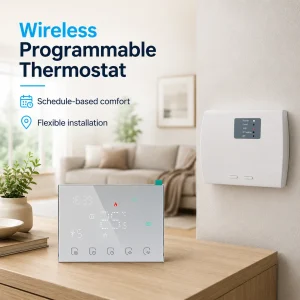
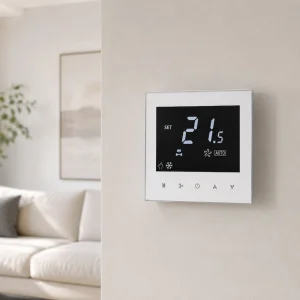
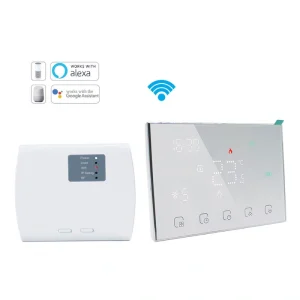
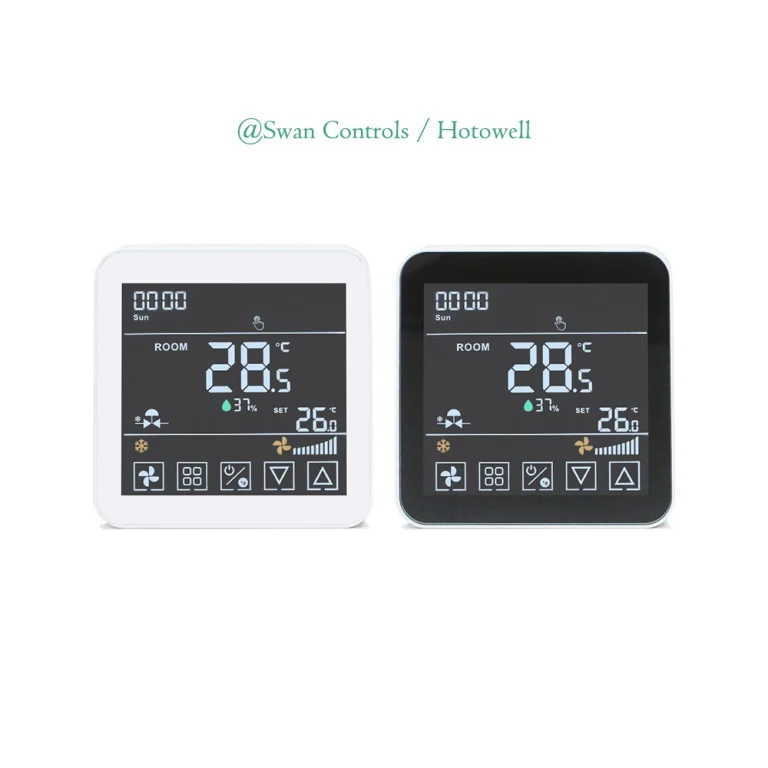
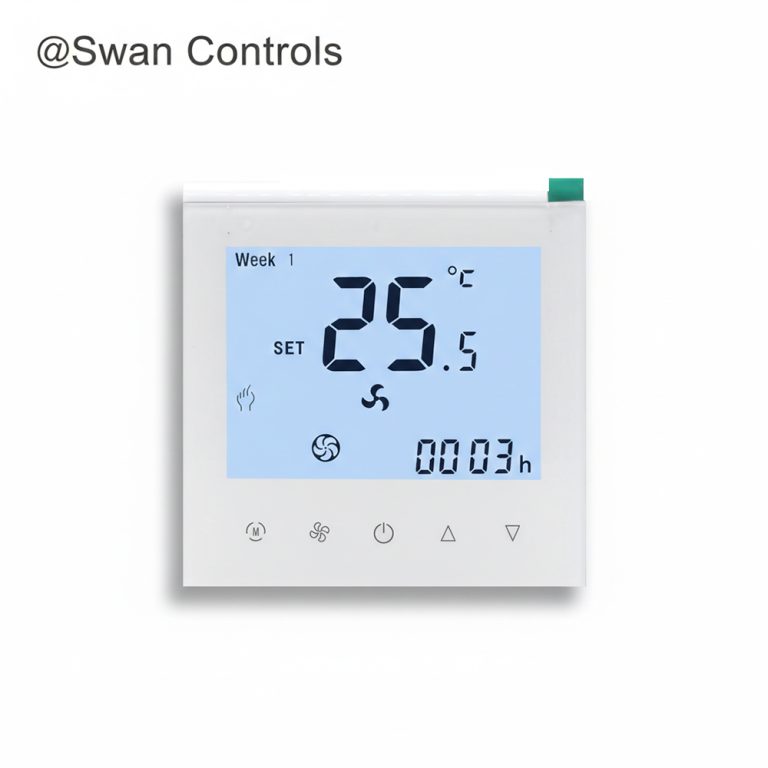
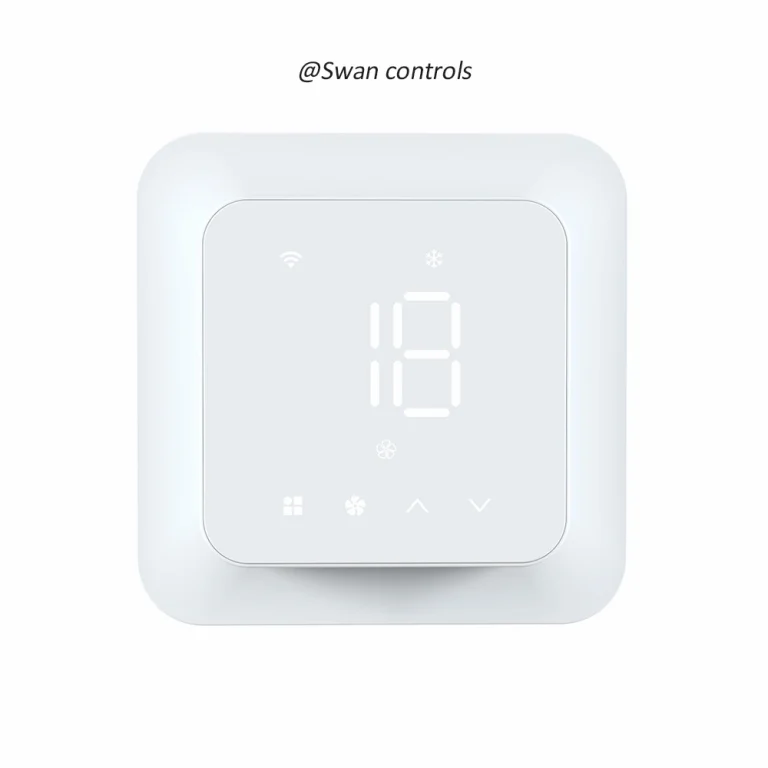
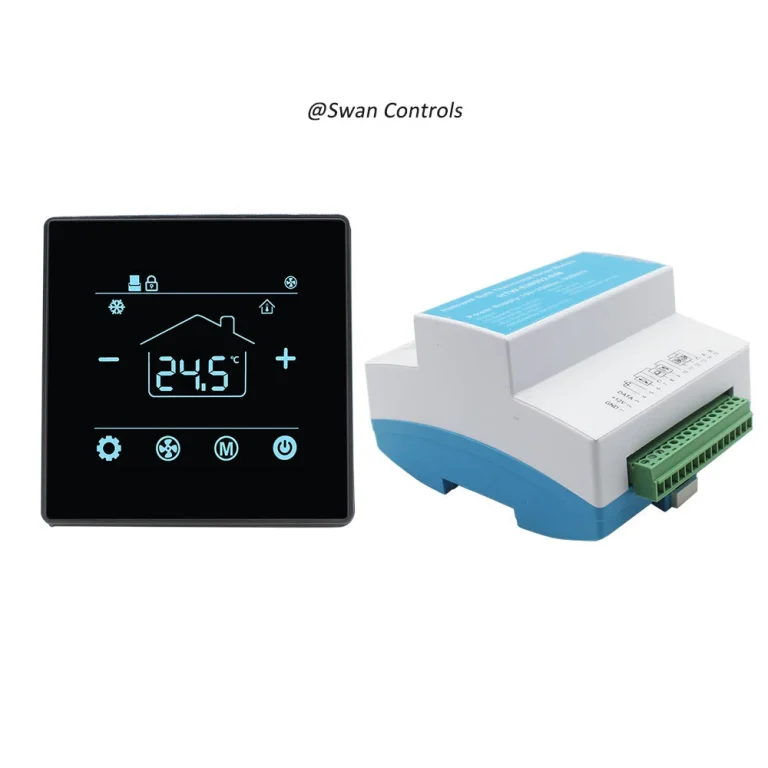
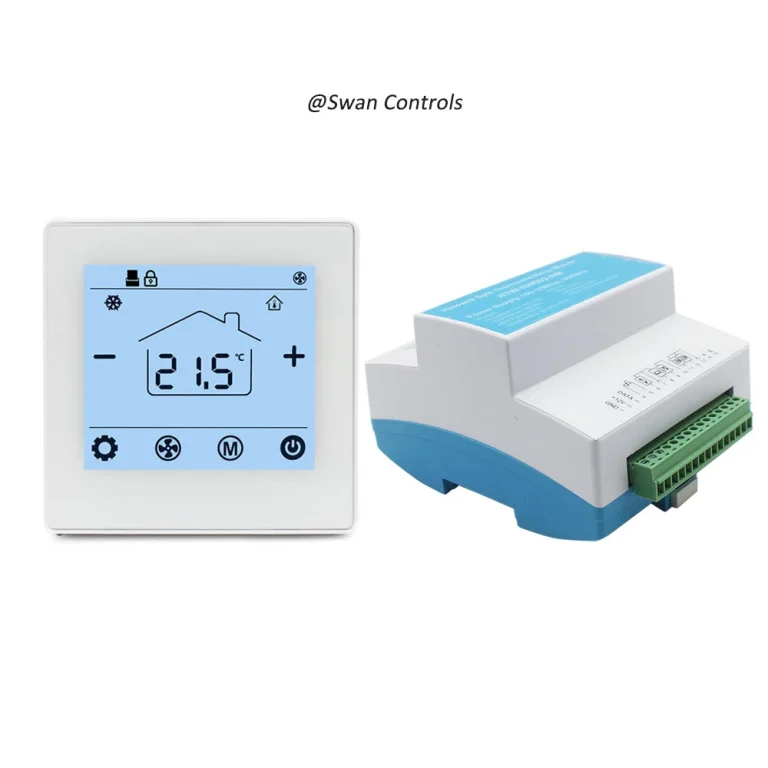
In some OEM projects, one may prefer one model direction that can be promoted across different project types instead of preparing too many separate versions. In this case, we can also discuss flexible smart thermostat platforms with wider control coverage. For example, when the project requires 3-speed fan, 2/4-pipe on/off valve control, Modbus, WiFi, and remote sensor support, we would like to recommend our HTW-WF11-FC-4ENS1W . When the project requires WiFi, 3-speed fan, EC fan, 2-pipe 0–10V modulating valve control, and 24V output for valve control, our thermostat Swan Controls HTW-FC09-FVMN-24WF may be a suitable product.
Once the system and function direction is confirmed, we can move the OEM discussion to branding, documentation, delivery consistency, and advanced customisation boundaries.
OEM Scope Should Be Divided Into Three Levels
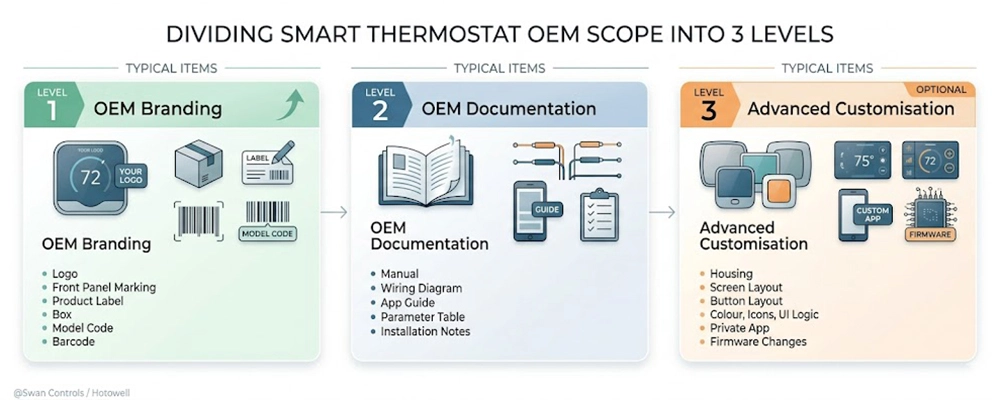
In a smart thermostat OEM project, we can divide the requirements into 3 levels.
| OEM Scope | Typical Items | Recommended Position |
|---|---|---|
| OEM branding | Logo, front panel marking, product label, box, model code, barcode | Suitable as first-stage OEM scope because risk is lower and repeat orders are easier to control. |
| OEM documentation | Manual, wiring diagram, app guide, parameter table, installation notes | Should be treated as a core part of the OEM product, not as a minor after-sales file. |
| Advanced customisation | Housing, screen layout, button layout, colour, icons, UI logic, private app, firmware changes | Better kept optional unless the buyer has clear volume, confirmed project demand, and enough validation time. |
For first-stage OEM cooperation, we usually recommend focusing on the first two scopes. Branding helps the buyer sell the product under a controlled brand identity. Documentation helps installers, distributors, and users understand the product correctly. These two parts often create more real business value than adding complicated functions too early.
Advanced customisation can still be discussed, but it should not become the default starting point. If we begin with private app, new housing, new screen display, or deep firmware changes before the market is tested, the project may become slower, more expensive, and harder to repeat.
OEM Branding Scope: Make the Product Sellable and Repeatable
OEM branding is the most common and practical starting point for smart thermostat cooperation. It turns a mature standard platform into a product that can be presented, sold, stocked, and reordered under the buyer’s brand.
This scope may include logo printing, front panel marking, product label, box design, model code, barcode, and brand-related packaging information.
For a distributor, OEM branding makes the product easier to promote in wholesale channels. The sales team can use consistent product photos, and manage the same model code across repeated orders.
For a brand owner, OEM branding protects long-term product identity. The logo, label, box, manual cover, and model code should stay consistent. If these details change from one batch to another, the buyer may face warehouse confusion, customer complaints, or brand inconsistency.
For a project buyer, branding may not be only visual. The model code, label, barcode, and datasheet help contractors identify the correct model on site. When many rooms or buildings use similar thermostats, clear model identification can reduce installation mistakes.
OEM Documentation Scope: Reduce Installation and Support Risk
Documentation should be treated as a core part of a smart thermostat OEM project. Many after-sales issues are not caused by missing functions. They are caused by unclear documents, unclear wiring diagrams, unclear app steps, or unclear parameter settings.
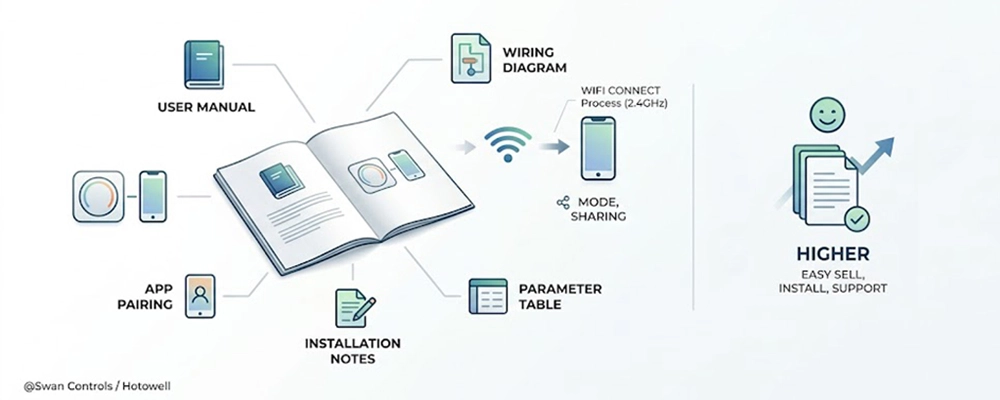
The documentation scope should include the user manual, wiring diagram, app pairing steps, installation notes, and parameter table. For an OEM order, these documents should be checked before bulk production, not after the goods are shipped.
- For fan coil or project models, wiring documents are more important. The manual should explain power input, fan speed terminals, valve output, sensor terminals, communication terminals, and any special setting required before installation. A clear wiring diagram can reduce wrong connection and site delay.
- For heating or boiler control, the document should clearly explain load type, dry contact output if used, sensor logic, and protection settings where relevant. If installers misunderstand the terminal meaning, the product may be blamed even when the model itself is correct.
For WiFi thermostat models, the manual should explain the app connection process clearly. It should mention 2.4GHz WiFi requirements, pairing mode, reset operation, and device sharing if supported. These details may look small, but they are common sources of support questions. And that is what we at Swan Controls do in our thermostats.
Good documentation also helps the buyer’s internal team. Sales staff can explain the product faster. Technical staff can answer questions more consistently. Distributors can train local dealers. Project contractors can check wiring before installation. End users can understand basic reset and operation steps.
In conclusion, a product with clear documents is easier to sell, install, support, and reorder than a product with more features but unclear instructions.
Advanced Customisation Scope: Useful, but Not Always the First Step
Advanced customisation can create stronger product differentiation, but it should be managed carefully. Housing design, screen layout, button layout, panel colour, icon design, UI display logic, private app, and deep firmware changes are not the same as logo or box customisation.
These changes involve higher MOQ, longer development time, tooling review, material confirmation, sample validation, batch consistency checks, and more technical communication. If the buyer has not confirmed stable demand, this scope may make the first OEM order too heavy.
Housing customisation is one example. Changing the outer case, colour, front panel structure, or button layout may require mould or structure confirmation. Even a colour change may need material matching and batch consistency control.
Screen and UI customisation can also become complex. Changing icons, display sequence, screen layout, or menu logic may affect user understanding and production testing. If the display change is connected with firmware logic, the validation work becomes deeper.
Private app development should be considered with caution. It may involve app development, maintenance, update management, user account support, server responsibility, privacy-related documents, and long-term compatibility. For small or early-stage OEM orders, using a mature standard app platform is often more practical. In our case at Swan Controls, that means the Tuya and Smart Life apps.
Our preferred route is staged. We start from a mature platform, complete branding and documentation, test the market, collect feedback, and then discuss whether housing, screen, UI, app, or firmware changes are worth the cost and risk.
Different OEM Buyers Need Different Priorities
Not every OEM buyer needs the same package. A distributor, brand owner, project buyer, and hotel or BMS buyer may all ask for a smart thermostat OEM product, but their real priorities are different.
| Buyer Type | What Should Prioritise | What Should Be Avoided |
|---|---|---|
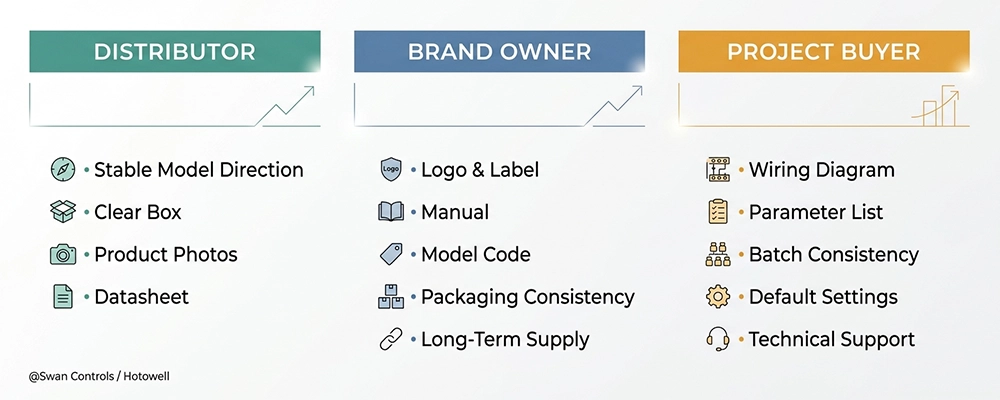
| Distributor | Stable model direction, clear box, datasheet, product photos, simple model difference | Too many similar versions that confuse sales and stock management |
| Brand owner | Logo, label, manual, model code, packaging consistency, long-term supply | Changing core platform too early before market feedback |
| Project buyer | Wiring diagram, parameter list, batch consistency, default settings, technical support | Over-focusing on appearance while ignoring installation documents |
A distributor usually needs a product line that is easy to sell and easy to stock. Too many versions may create confusion. For this buyer, we should keep the model structure clear and prepare practical sales materials.
A brand owner cares more about consistency. The same logo, model code, label, manual, product photo, and box style should remain stable across repeat orders. If these items keep changing, the brand becomes harder to manage.
A project buyer cares about installation and batch control. The thermostat must match the system, and the document package must be clear enough for site use. For this buyer, wiring diagrams, parameter tables, and default settings may matter more than appearance changes.
Common OEM Mistakes We Try to Avoid
- Starting branding before confirming HVAC compatibility;
- Prioritising private app development too early, before proven sales volume;
- Ignoring manuals, wiring diagrams, pairing guides, and parameter documents;
- Assuming housing and screen changes are basic OEM work despite higher MOQ and validation needs;
- Choosing suppliers only by price while ignoring long-term consistency and support quality.
Practical Case: A Better First OEM Route
A distributor in the Middle East wants to launch a smart thermostat product line for fan coil projects. The first request is logo, WiFi, and a custom box. After checking the market, we find that the channel has both apartment and light commercial customers. Some projects use 2-pipe fan coil systems. Some use 4-pipe systems. A few larger projects ask about Modbus.
In this situation, we should first confirm the fan coil control platform and decide which function direction is suitable for the product line. After that, the OEM work should focus on brand materials and project documents.
The first OEM package includes logo printing, product label, box design, English manual, wiring diagram, app pairing guide, reset guide, model code, datasheet, and product photo. If later projects request BMS connection, we can add Modbus documentation and project-specific support. If the distributor reaches stable volume, we can then discuss housing colour, screen display, or deeper customisation.
This route protects both sides. The buyer can start sales faster. Installers receive clearer documents. The supplier can keep production stable. Repeat orders become easier.
Market Context for Europe, the Middle East, and South America
In Europe, smart thermostat OEM buyers often pay attention to product documentation, energy-related functions, installation clarity, and compliance support. The product does not only need to look modern. It should also be explainable in datasheets, manuals, and project discussions.
In the Middle East, hotels, apartments, offices, and commercial HVAC projects often need a balance of design, durability, and practical control. Keycard, fan coil control, Modbus, and project documentation may matter more than app control alone.
In South America, buyers may care more about price, simple installation, reliable supply, voltage matching, and clear support. A stable OEM smart thermostat with good documents may be more useful than a heavily customised model that is difficult to explain or reorder.
Across these markets, one trend is clear. Buyers are becoming more careful. They do not only ask whether a product has WiFi. They ask whether the thermostat fits the HVAC system, whether documents are clear, whether the supplier can support OEM branding, and whether the same product can be supplied consistently.
What We Recommend Before Confirming an OEM Order
Before confirming a smart thermostat OEM order, we should separate pre-OEM configuration, standard OEM scope, and advanced customisation scope. The system and functions must be confirmed first. Branding and documentation should then be prepared as the main OEM package. Advanced changes should wait until order volume and project requirements are clear.
We also recommend sample testing before bulk production. The test should not only check whether the thermostat powers on. It should check temperature control, output response, wiring terminals, app pairing, reset process, display, parameter settings, label, packaging, and document accuracy.
For a first order, we usually recommend a controlled OEM scope: proven platform, logo, label, box, English manual, wiring diagram, datasheet, model code, standard app guide if WiFi is included, and agreed default settings. This is enough to build a sellable product without making the project too heavy.
For follow-up orders, we can review customer feedback and decide whether to add special functions, housing changes, or deeper firmware logic. This staged route is more practical than trying to complete every custom idea in the first order.
If you are preparing a project or OEM order, please feel free to get in touch with us in Swan Controls (an affiliate of Hotowell) to confirm the suitable model, control logic, wiring requirement, customisation scope, and project documents.
FAQ
1. What is the most important step in a smart thermostat OEM project?
The most important step is to confirm the HVAC system and required functions before discussing OEM branding or customisation. We need to know whether the product is for fan coil, electric heating, water heating, boiler heating, heat pump, or other HVAC applications. Once the platform and functional direction are clear, we can discuss the rest more safely.
2. Should WiFi be standard for every OEM smart thermostat?
WiFi can be a strong selling point, but it should not be standard for every project. We usually recommend WiFi thermostat control when the target users need remote operation, app scheduling, or easier daily control. For hotel, BMS, or project applications, Modbus, BACnet, keycard, wiring clarity, and batch consistency may be more important than WiFi alone.
3. Which OEM items are suitable for the first order?
For a first OEM order, we at Swan Controls usually recommend logo printing, product label, English manual, wiring diagram, model code, and default settings. These items improve brand presentation and sales readiness without changing the proven platform too deeply.
4. When should housing, screen, or UI customisation be considered?
Housing, screen, button layout, colour, icons, and UI logic should usually be considered after the buyer has stable demand or a clear project order. These changes may involve higher MOQ, longer development time, sample validation, and batch consistency checks. They are possible, but they should be treated as advanced OEM scope.
5. Why is documentation important for smart thermostat OEM orders?
Documentation affects installation, user operation, after-sales support, and repeat orders. A stable thermostat can still create complaints if the manual, wiring diagram, app pairing steps, reset steps, and parameter table are unclear. Good OEM documentation helps distributors, installers, project contractors, and users understand the product correctly.
References / Sources
ASHRAE Handbook | ASHRAE | American Society of Heating, Refrigerating and Air-Conditioning Engineers | ASHRAE Handbook Series
Fundamentals of HVAC Control Systems | ASHRAE | American Society of Heating, Refrigerating and Air-Conditioning Engineers | ASHRAE Building Controls Publication
Energy Performance of Buildings — Controls for Heating Systems | CEN | European Committee for Standardization | EN 12098 Standard Series
Ecodesign and Energy Labelling for Space Heaters | European Commission | European Commission Single Market and Standards | EU Energy Policy Documentation
IEC Standards and Conformity Assessment | IEC / IECEE | International Electrotechnical Commission | IEC Standards Information
Building Automation and Control Systems | ISO | International Organization for Standardization | ISO 16484 Standard Series
Smart Home Device and App Pairing Guidance | Tuya Developer Platform | Tuya Smart | Product and App Operation Documentation
Final Note
A smart thermostat OEM project should not be judged by how many functions we can add at the beginning. It should be judged by whether the product can be sold clearly, installed correctly, supported easily, and reordered consistently. WiFi is useful, but it is only one part of the total OEM decision.
Our recommended approach is to confirm the right HVAC platform first, then keep OEM branding and documentation practical, and leave advanced changes optional until the buyer has clear market feedback or project demand. This gives the product a stronger chance to become a real brand item, not just a customised sample with too much cost and too much risk.
Copyright © Swan Controls / Hotowell. All rights reserved. This article is written and published by Swan Controls, an affiliate of Hotowell, for HVAC thermostat product selection, OEM cooperation, and project sourcing reference.