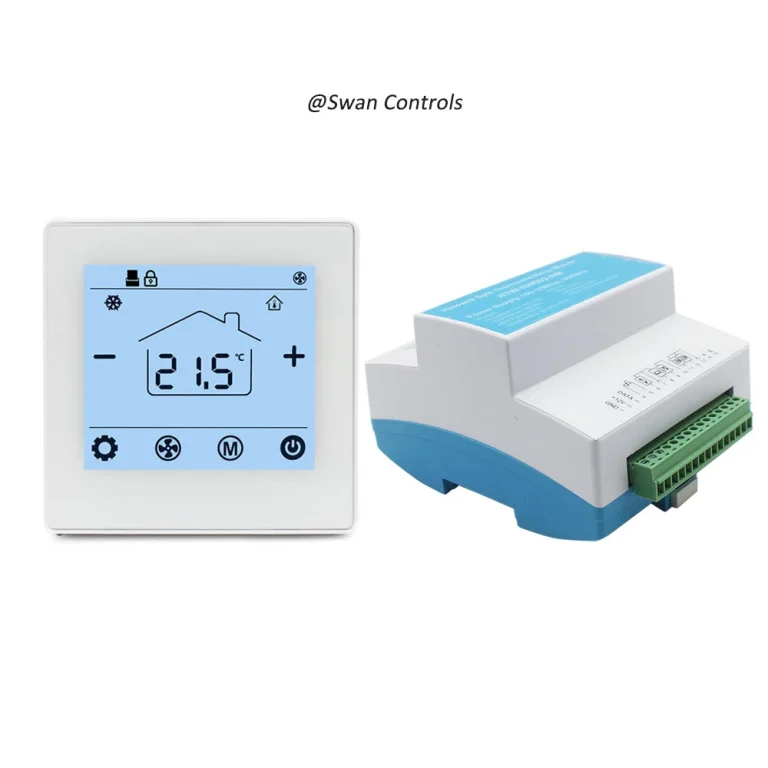
“Why does the floor feel warm but the room still doesn’t feel comfortable?”
“Because underfloor heating thermostat settings do more than choose a temperature. They decide how the thermostat reads heat, how it responds, and how efficiently the system runs.”
That is the point many buyers and end users miss at first. A underfloor heating thermostat setting is not only a number on the screen. In an underfloor heating system, the thermostat may be deciding whether to follow room air temperature, floor temperature, or both together. It may be deciding whether heating starts earlier, runs longer, stops sooner, or protects the floor from overheating. In a WiFi thermostat, it may also be deciding how schedules, setbacks, and remote adjustments affect daily operation. So when people say the system feels more comfortable, more stable, or more economical after a settings change, they are usually not talking about one magic degree change. They are talking about a better control strategy.
This is why underfloor heating thermostat settings deserve more attention than they usually get. A project can use a good thermostat and still produce weak results if the settings do not match the heating system, room use, or user expectation. On the other hand, a modest thermostat can often feel much more intelligent than it really is when the settings are chosen well. That is especially true in projects using electric underfloor heating, floor sensor logic, programmable schedules, WiFi control, or wireless thermostats placed where daily convenience matters.
Quick Summary: The 4 Settings That Matter Most
The four settings that usually matter most are sensor mode, target temperature, schedule logic, and floor limit behaviour. Sensor mode decides whether the thermostat responds to room air, floor temperature, or both. Target temperature affects how warm the space feels. Schedule logic affects when the heating runs and how steadily it supports comfort through the day. Floor limit behaviour helps protect the floor and shapes how aggressively the system is allowed to heat. If these four areas are matched correctly to the project, comfort usually improves and unnecessary energy use usually falls.
What Underfloor Heating Thermostat Settings Really Control
Many users assume that thermostat settings only decide whether the room will be warmer or cooler. In underfloor heating, the effect is usually wider than that. The thermostat may be deciding whether it is watching the room temperature, the floor temperature, or a combination of both. It may be deciding how early the heating starts before occupancy, how long it remains active after the room begins to warm, and how much protection is applied to the floor surface. That means settings are not just comfort numbers. They are the operating logic of the system.
This matters because underfloor heating behaves differently from faster-response wall radiator systems. The heat is gentler and more gradual. The floor has thermal mass. The feeling underfoot matters. The room may respond more slowly, especially in water underfloor heating or in rooms with higher heat loss. So the thermostat settings are really deciding how the system should behave over time, not just what number should appear on the display.
In practical terms, three users can set the same nominal temperature and still get three different experiences if their sensor mode, schedule, and floor limit settings are different. That is why one project may feel smooth and economical, while another feels slow, uneven, or wasteful, even when the thermostat model itself is acceptable.
Sensor Mode Affects Comfort More Than Many Buyers Expect
The single most important settings question in many underfloor heating projects is sensor mode. This is especially true in electric underfloor heating. If the thermostat uses the wrong sensing logic, the heating result can feel wrong even when the hardware is working properly.
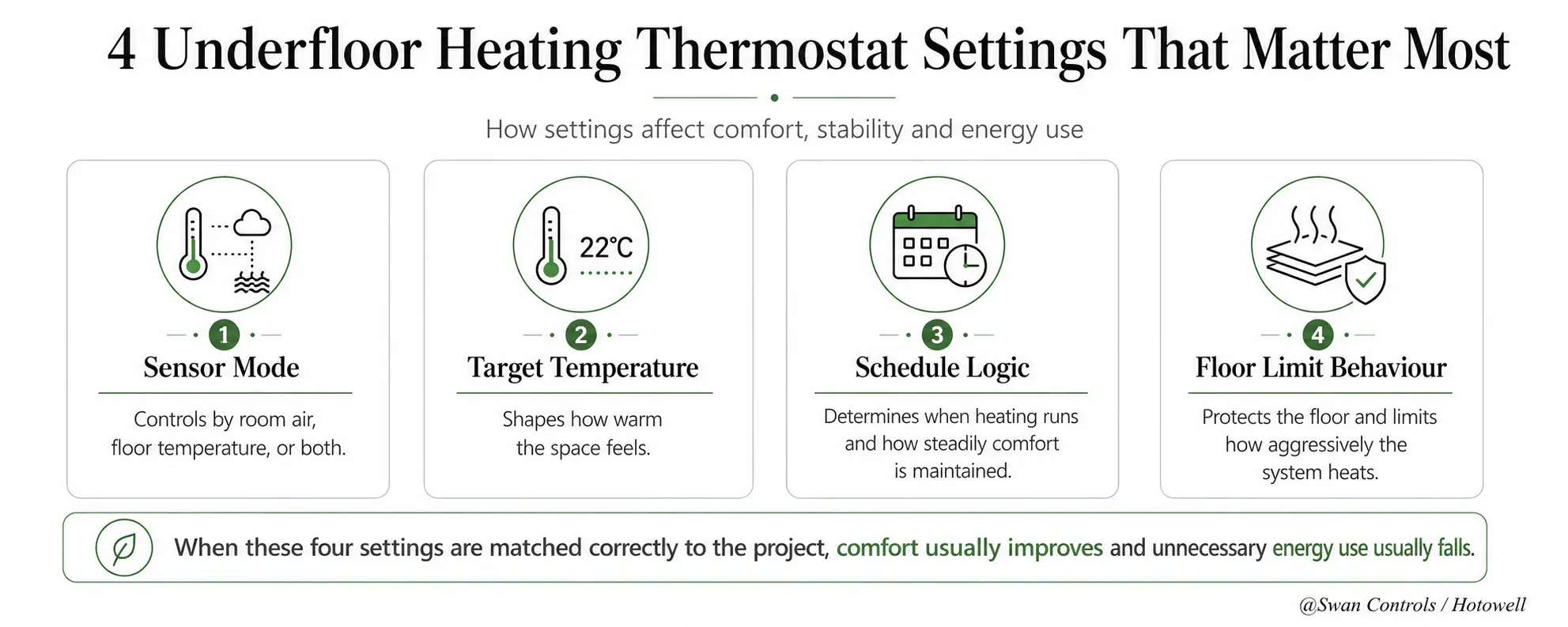
Air sensor mode
Air sensor mode focuses on room temperature. It behaves more like a room thermostat and can be useful when room comfort is the main target. But in electric underfloor heating, relying on air sensor only can be inappropriate because the floor itself is part of the control target. In those situations, the room may eventually feel warm while the floor temperature behaviour is still not being controlled in the most suitable way.
Floor sensor mode
Floor sensor mode focuses on floor temperature. This is especially useful when floor comfort or floor protection matters strongly. In bathrooms, smaller comfort-heating zones, or projects with floor-finish sensitivity, floor-led control can feel more natural and more predictable. It can also reduce the risk of the floor feeling too hot.
Air and floor combined mode
Combined mode is often the most balanced choice when the project needs room comfort but also wants to keep the floor inside a sensible working range. The thermostat can use air temperature for comfort logic while keeping the floor from moving beyond a practical limit. In many real projects, this dual logic is what makes the thermostat feel stable and “intelligent.”
Heatmiser’s documentation is very useful here because it clearly states that built-in air sensor only must not be used by itself for electric under-floor heating, and that floor sensor or both should be used instead. That is an important reminder that sensor mode is not a cosmetic setting. It changes the control logic fundamentally.
| Sensor Mode | Main Control Focus | Typical Result |
|---|---|---|
| Air only | Room air temperature | More room-led behaviour, but often not enough alone for electric UFH |
| Floor only | Floor surface temperature | Better floor comfort and floor-led control |
| Air + floor | Room comfort with floor protection | Often the most balanced practical result |
How Settings Affect Comfort
Comfort in underfloor heating is not only about whether the room eventually reaches a target temperature. It is also about how the room warms, how the floor feels, and whether the heating experience feels natural. Settings influence all three.
If the thermostat is too focused on room air without enough attention to floor behaviour, the room may technically reach the target while the floor still feels less comfortable than expected. If the settings focus too strongly on floor temperature without enough regard for room comfort, the floor may feel pleasant but the room may respond too slowly in colder conditions. Combined settings often work better because they align user comfort with floor limits more naturally.
This is why buyers should not judge comfort by one number alone. A room thermostat display may show a suitable setpoint, but the underfloor heating thermostat settings behind that setpoint decide how the user experiences the space. In electric underfloor heating thermostat projects, this distinction is especially important because floor response is often a visible part of the comfort experience.
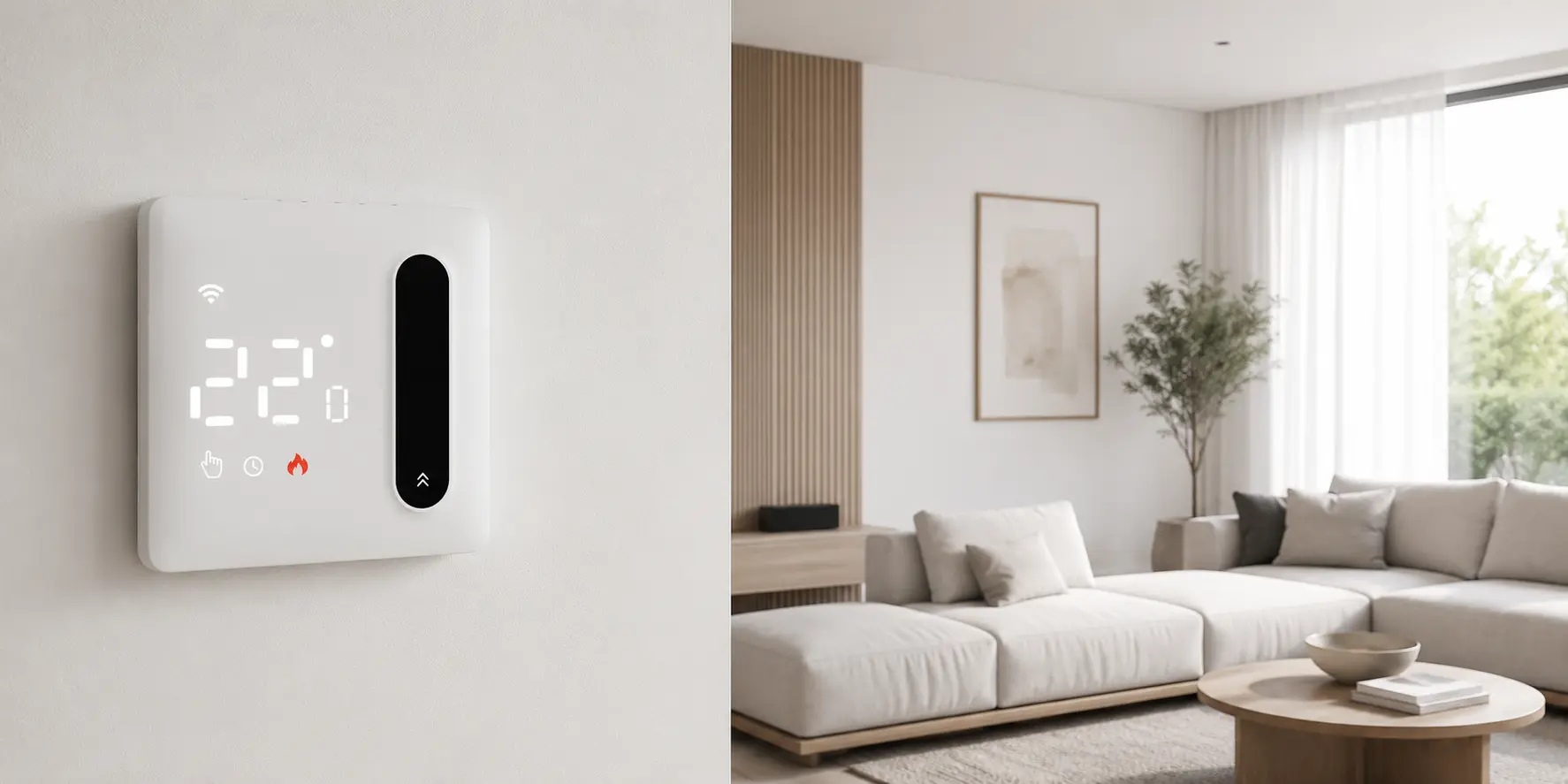
How Settings Affect Stability
Stability means whether the heating feels steady and predictable over time. A system can feel warm and still feel unstable. It may overshoot, recover too slowly, cycle in a confusing way, or make the floor feel inconsistent from one part of the day to another. In many cases, the thermostat is blamed first, but the real issue is the settings logic.
For example, when schedule timing is too aggressive or not matched to the floor system’s thermal response, the room may warm too late or remain active longer than necessary. If floor-limit logic is absent or weak, the floor may feel hotter than expected. If wireless thermostat settings are changed frequently without a clear strategy, users may create instability for themselves without realising it. Good settings reduce these problems because they make the thermostat behaviour match the physical behaviour of the floor system.
Stability is one of the strongest reasons programmable and smart thermostat features matter. OJ Electronics explicitly describes programmable electric floor-heating thermostats as being intended for optimal comfort temperature and minimum energy consumption. That positioning makes sense because stable comfort and better energy behaviour usually come from predictable control, not from random manual changes.
How Settings Affect Energy Use
Energy use is where thermostat settings become commercially important, not only technically interesting. Underfloor heating usually feels efficient when it runs in a controlled and planned way. It feels wasteful when it is allowed to run longer than needed, heat empty rooms, or chase comfort through poorly chosen sensor logic.
Programmable schedules matter here. If the thermostat knows when heating is genuinely needed, it can reduce unnecessary runtime. Smart or WiFi thermostats can improve this further by making schedule changes easier and more visible. In practical projects, this is one reason users like app-based control: not because the app itself creates efficiency, but because it makes good schedule behaviour easier to maintain.
Warmup says its thermostats for electric and water underfloor heating are designed to improve home energy efficiency and can help save money on energy bills. OJ Electronics also links programmable electric floor-heating thermostats to minimum energy consumption. These sources support a simple project lesson: energy use is not decided by hardware label alone. It is strongly shaped by how the thermostat is set.
WiFi in Underfloor Heating Thermostats — Where It Really Helps
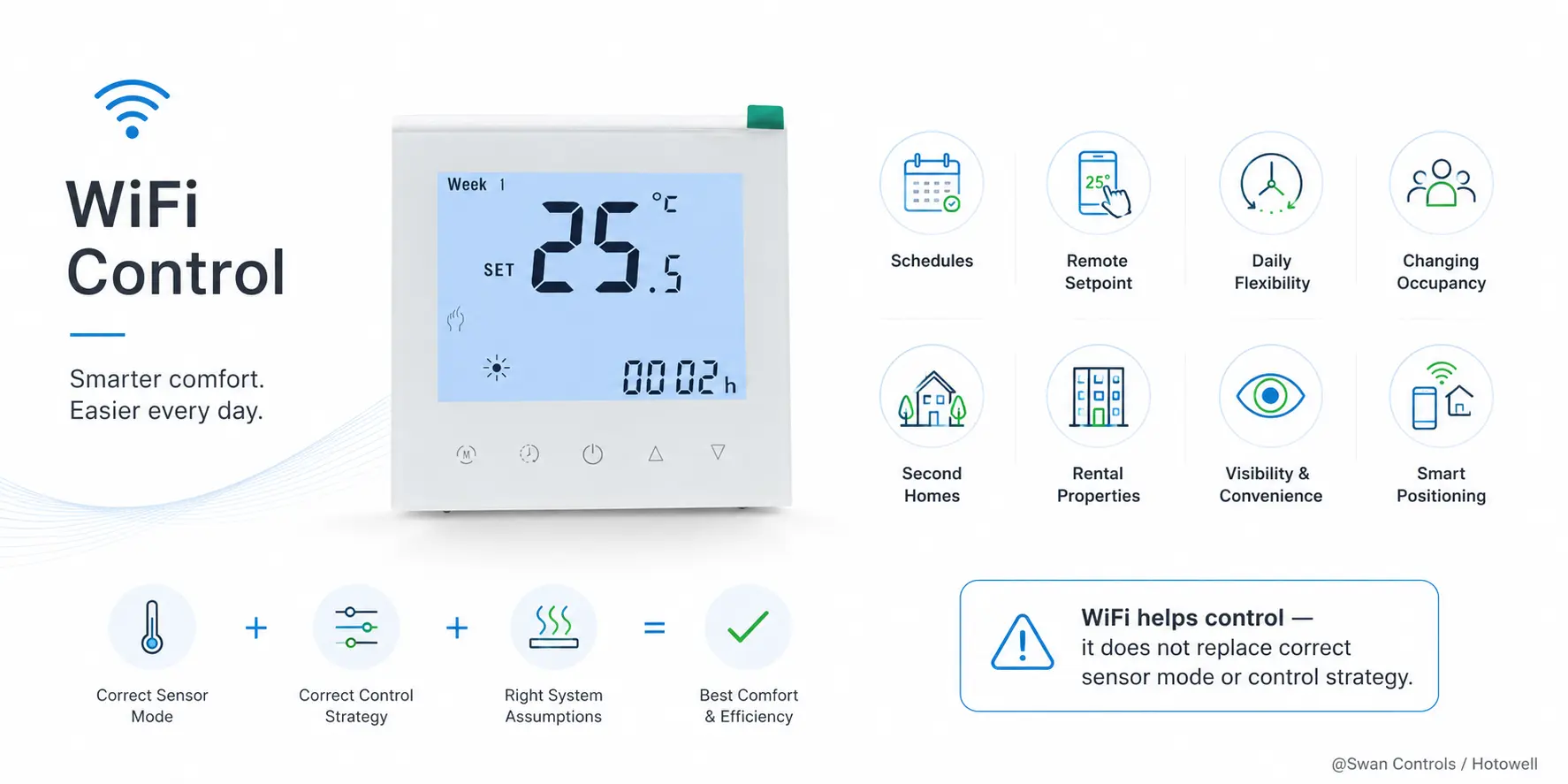
WiFi is useful in underfloor heating thermostat projects, but it should be understood properly. Its real value is not that it magically improves heating physics. Its value is that it makes control easier to manage. It helps users see and adjust schedules, change setpoints remotely, and respond faster to daily routine changes.
That makes WiFi especially useful in homes with changing occupancy, second homes, rental properties, or projects where the user wants visibility and convenience. It can also help buyers who want a more modern product line and a clearer “smart thermostat” positioning. For a residential project, that can be a strong commercial advantage as well as a practical comfort advantage.
But WiFi is not a substitute for the correct sensor mode or control strategy. A WiFi thermostat with the wrong floor-sensor logic is still the wrong control solution. The app may work perfectly, but the system may still feel unstable or inefficient. So WiFi helps most when the basic control assumptions are already correct.
The Practical Advantage of Desktop or Standing Wireless Thermostats
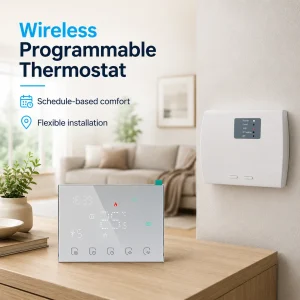
Another useful trend in heating controls is the move toward wireless and battery-powered thermostat options, including formats that can be used on a desk, shelf, or other standing position rather than being permanently fixed in the same way as a traditional wired wall thermostat. This can bring real project value in the right situations.
In practical terms, a desktop or standing wireless thermostat can be helpful where wall wiring is inconvenient, where the room layout may change, or where a more flexible control point is useful. This can be attractive in retrofit situations, rental spaces, temporary room uses, or projects where the buyer wants easier installation without cutting into finished walls. It can also make control feel more approachable for some users because the device behaves more like a familiar household control object rather than a fixed technical panel.
This does not mean a standing wireless thermostat is automatically better for every project. It means the form factor can have practical value when the site and usage pattern support it. That is especially true for wireless thermostat projects where convenience, relocation flexibility, and easier installation matter more than fixed wall aesthetics.
Why Residential and Commercial Projects Need Different Settings Priorities
Settings strategy should also change depending on whether the project is residential or commercial. In a residential environment, users usually value comfort, simplicity, and daily convenience. A slightly more flexible schedule, easier WiFi access, or a more forgiving comfort profile may be very useful there.
In a commercial or broader multi-room environment, settings often need to support consistency and easier management rather than daily manual adjustment. This is why simple, repeatable control logic can be more valuable than highly personalised settings in every room. Uponor’s room temperature control materials reflect this broader distinction by addressing homeowners, installers, and planners differently and by emphasising both comfort and practical setup.
The practical conclusion is clear: the best settings are not always the most customised ones. They are the settings that fit the building type, the heating role, and the people actually using or managing the system.
Real Product Paths for Different Use Cases
Different thermostat formats make sense in different project paths. That is why the right settings discussion should also consider the type of thermostat product the buyer is actually using.
Wireless thermostat references for water or boiler-related heating
If a project is looking at wireless thermostat logic for heating control more broadly, products such as the LED Screen 3A Battery Wireless Heating Thermostat or the Touch Button Battery Wireless Heating Thermostat show how battery-powered and wireless control can be useful where easier installation or placement flexibility is important.
WiFi wireless thermostat references for electric heating
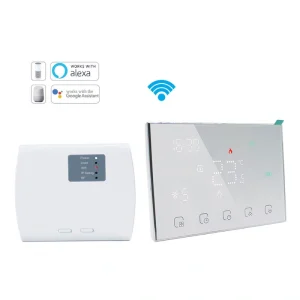
For projects where app control and remote schedule adjustment matter more, products such as the LED Screen Battery WiFi Wireless Thermostat 16A Electric Heating and the WiFi Wireless Thermostat for 16A Electric Heating and 3A Boiler Heating show how WiFi convenience can be added to broader electric or mixed heating scenarios.
Broader commercial room-control reference
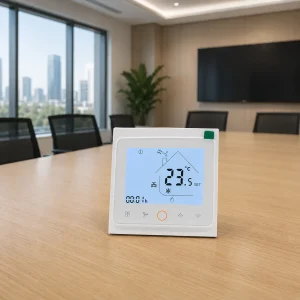
A product such as the keycard HVAC thermostat is not a strict underfloor heating thermostat, but it is still a useful commercial reference because it shows how control priorities change in spaces where occupancy, convenience, and broader room-management logic matter. That is helpful when comparing residential and commercial settings philosophy more broadly.
Common Settings Mistakes That Lead to Complaints
- Using air-only logic in electric underfloor heating where floor-sensor logic is actually needed.
- Treating WiFi as a fix for wrong sensor mode.
- Ignoring schedule programming and relying only on manual changes.
- Using the same settings approach for every room regardless of room use.
- Copying residential comfort logic into a commercial or multi-room control environment.
- Forgetting that floor limit behaviour affects both comfort and floor protection.
- Assuming wireless convenience automatically guarantees better control.
Many of these complaints sound like product faults at first. In reality, they often come from settings that do not match the project role.
Expert Commentary: Good Settings Make the Thermostat Feel Smarter Than It Really Is
One of the most practical truths in heating control is that a thermostat often feels “smart” when the settings are well chosen, even if the device itself is not especially advanced. Good sensor logic, reasonable schedules, and the right floor limit behaviour can make a modest thermostat feel stable, responsive, and economical. Poor settings can make a technically advanced thermostat feel disappointing.
We support thermostat projects for wireless heating control, electric heating, boiler-linked heating, hotel HVAC, and broader room-control environments where the right settings often matter more than extra features. In real projects, comfort complaints often reduce faster when the control logic is adjusted properly than when the hardware is changed blindly.
Scientific Data and What It Means
Public technical and product documentation shows why settings matter so much. Heatmiser clearly states that electric under-floor heating should not rely on built-in air sensor only, which confirms that sensor mode is not a small preference but a core control condition. OJ Electronics repeatedly positions programmable electric floor-heating thermostats around optimal comfort temperature and minimum energy consumption, which supports the link between settings, comfort, and energy behaviour. Uponor’s room-control solutions emphasise comfort, energy savings, and easy setup across residential and commercial contexts, which supports the idea that stability is partly a settings-management issue, not only a hardware issue.
Real Cases and User Feedback
Case 1: Electric UFH project improved after changing sensor logic
A project originally used a control approach that behaved more like a normal room thermostat. The floor-heating result felt inconsistent. Once the thermostat logic was adjusted toward floor-led or combined sensor control, the comfort result felt much more natural. The thermostat itself had not changed. The settings had.
Case 2: Wireless WiFi thermostat improved daily use in a home
In a residential project, the main complaint was not the heater itself but the difficulty of maintaining a useful routine. Once schedule control was moved into a WiFi thermostat workflow, daily adjustments became easier and the user felt the heating was more predictable. Here, convenience improved control consistency.
Case 3: Commercial-style complaint reduced after simplifying settings logic
Another project had too many inconsistent thermostat behaviours across spaces. The improvement did not come from adding more functions. It came from making the settings structure simpler and more repeatable. That created better stability and fewer complaints even though the hardware stayed broadly similar.
User feedback pattern: People usually do not describe settings problems in technical language. They say the floor feels too hot, the room feels slow, the thermostat looks good but the result is disappointing, or the app is convenient but the heating still seems odd. Behind those comments, the real issue is often settings fit rather than product failure.
Frequently Asked Questions
1. How do underfloor heating thermostat settings affect comfort?
They affect comfort by deciding how the thermostat reads air temperature, floor temperature, or both, and by shaping how the heating system responds through the day. The same setpoint can feel very different if the control mode is different.
2. Why does my underfloor heating feel unstable even when the thermostat works?
Because the underfloor heating thermostat can still be using the wrong sensor mode, the wrong schedule logic, or a poor floor-limit strategy. In many cases, the hardware works but the settings do not match the project properly.
3. Does WiFi improve underfloor heating thermostat performance?
WiFi improves convenience, schedule access, and remote adjustment. It can improve practical control management, but it does not replace correct sensor logic or correct system fit.
4. Do I need floor sensor control for electric underfloor heating?
In many electric underfloor heating projects, yes. Manufacturer guidance commonly states that electric under-floor heating should not rely on built-in air sensor only and should use floor sensor or combined control instead.
5. Can wireless or desktop thermostats work well for underfloor heating projects?
Yes, they can work well when the project benefits from easier placement, reduced wall-wiring difficulty, or more flexible control positioning. Their value depends on project fit, not only on appearance.
References / Sources
- Heatmiser, Heatmiser SmartStat Manual
- Warmup, Underfloor Heating Thermostats
- Warmup, Element User Guide
- Warmup, 7iE User Guide
- Warmup, Understanding Your Underfloor Heating Control Options
- OJ Electronics, Programmable Thermostats
- OJ Electronics, Floor Heating Products
- OJ Electronics, Intelligent Thermostats for Electric Floor Heating
- Uponor, Underfloor heating controls with smart controls technology
- Uponor, Underfloor Heating Control Systems & Thermostats